

How BoostSR Works
Connect your Amazon account and start getting daily recommendations to improve your sales.
Sign Up and Connect
Create your account and connect to Amazon. We'll pull in your products, sales data, and search performance automatically. Takes less than 5 minutes to get started.
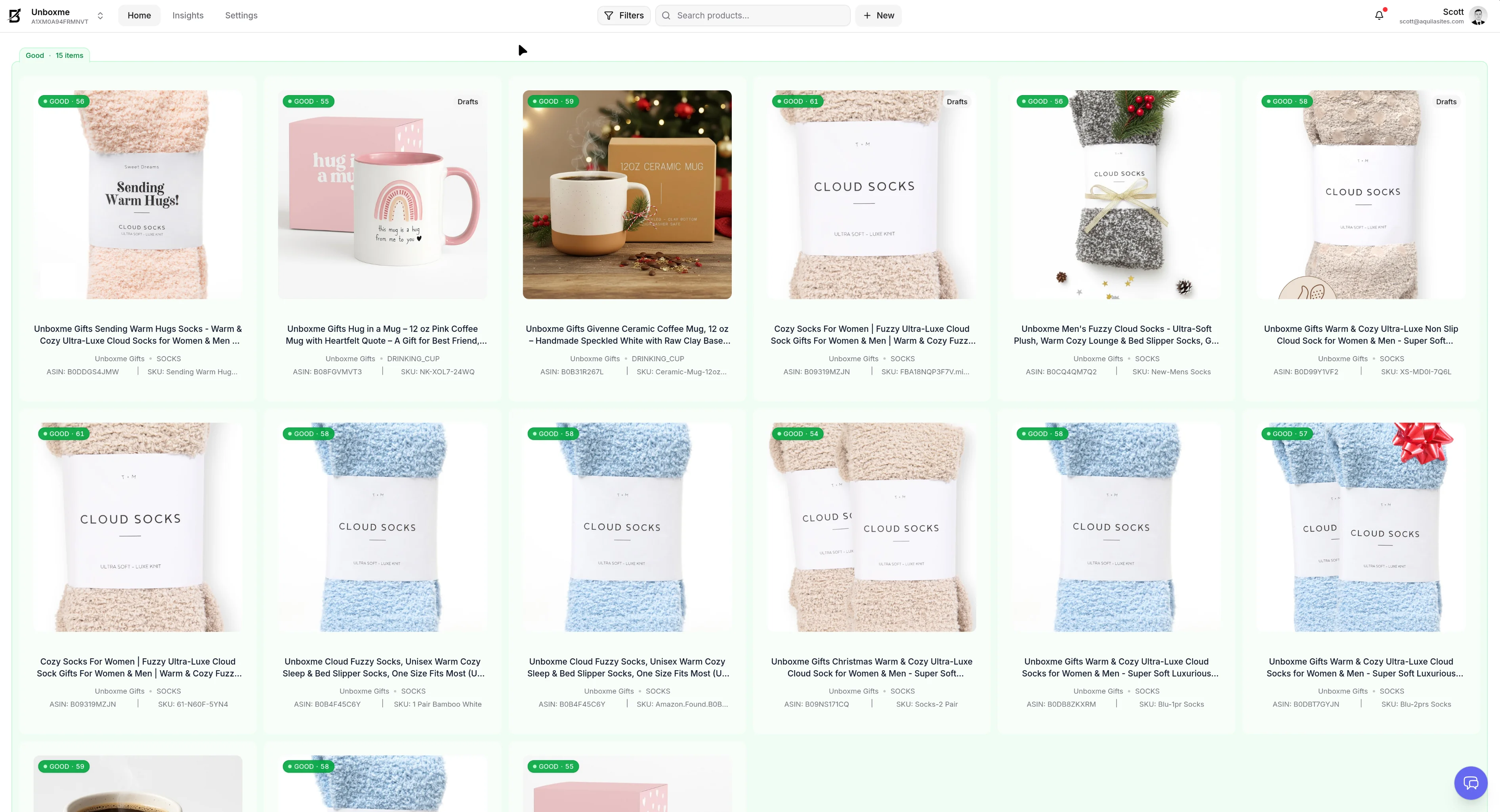
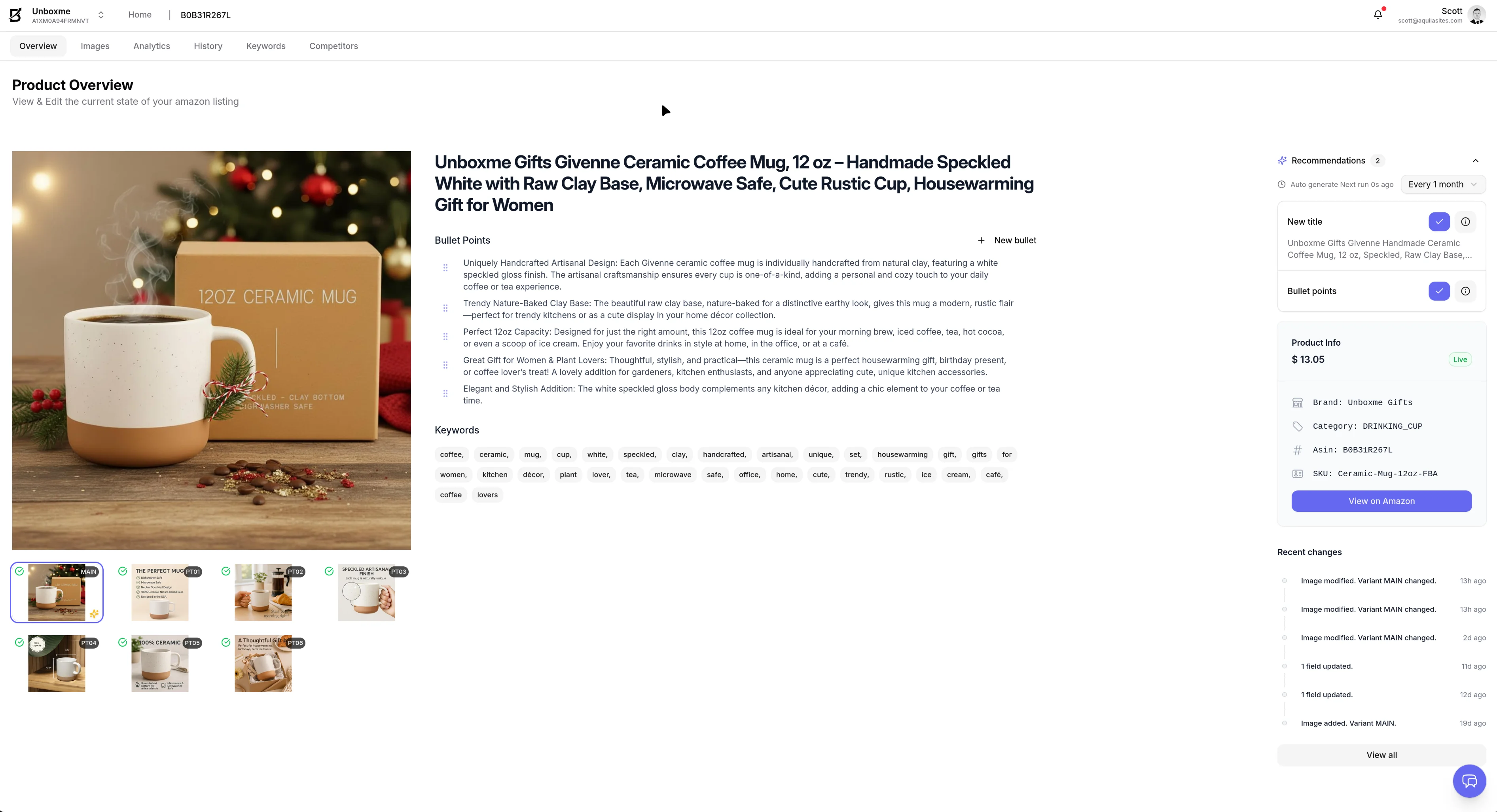
Get Your First Recommendations
We check your listings and show you what needs fixing. See exactly which titles, photos, and keywords to change in your recommendations tab.
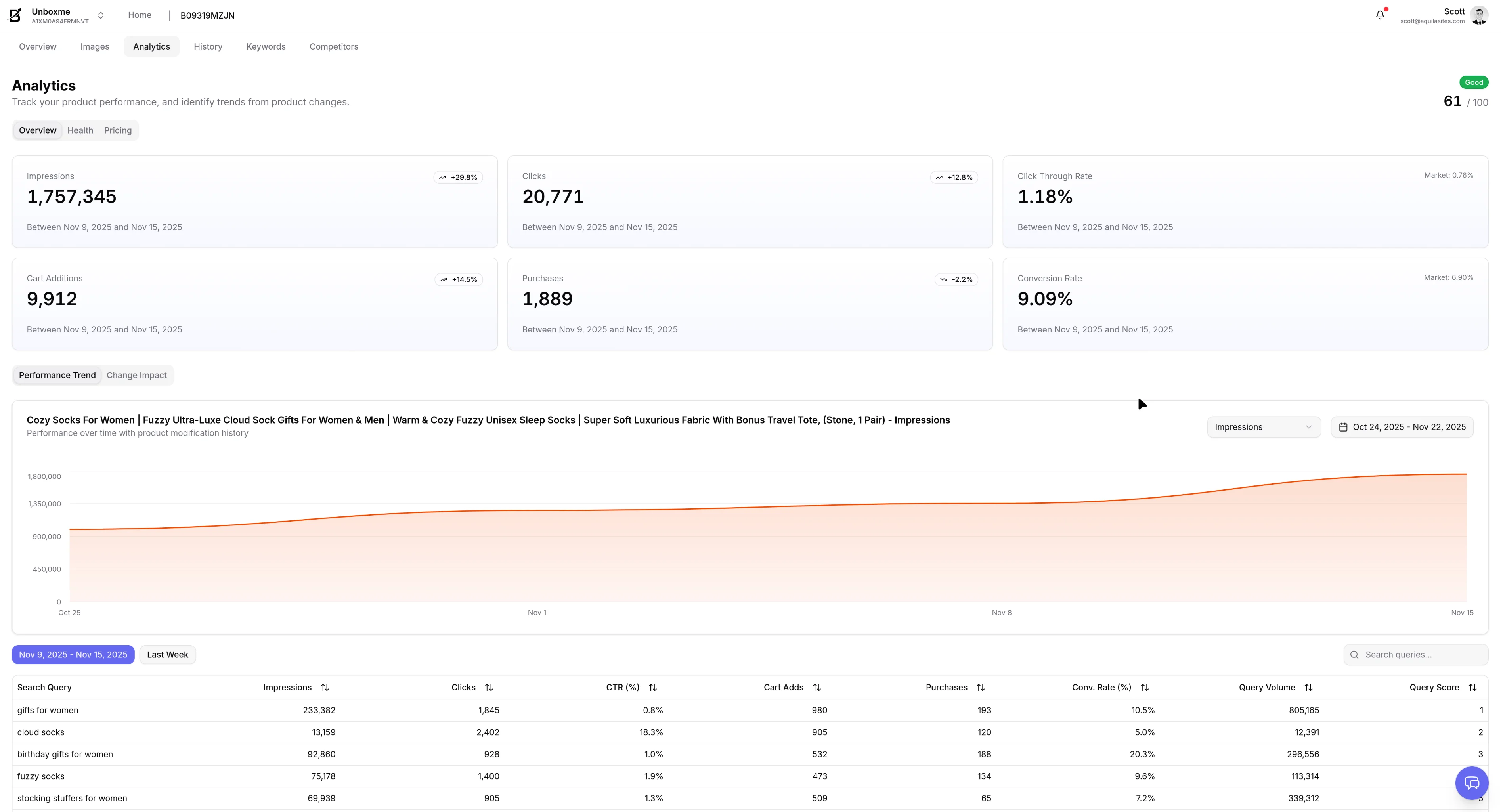
See What's Working
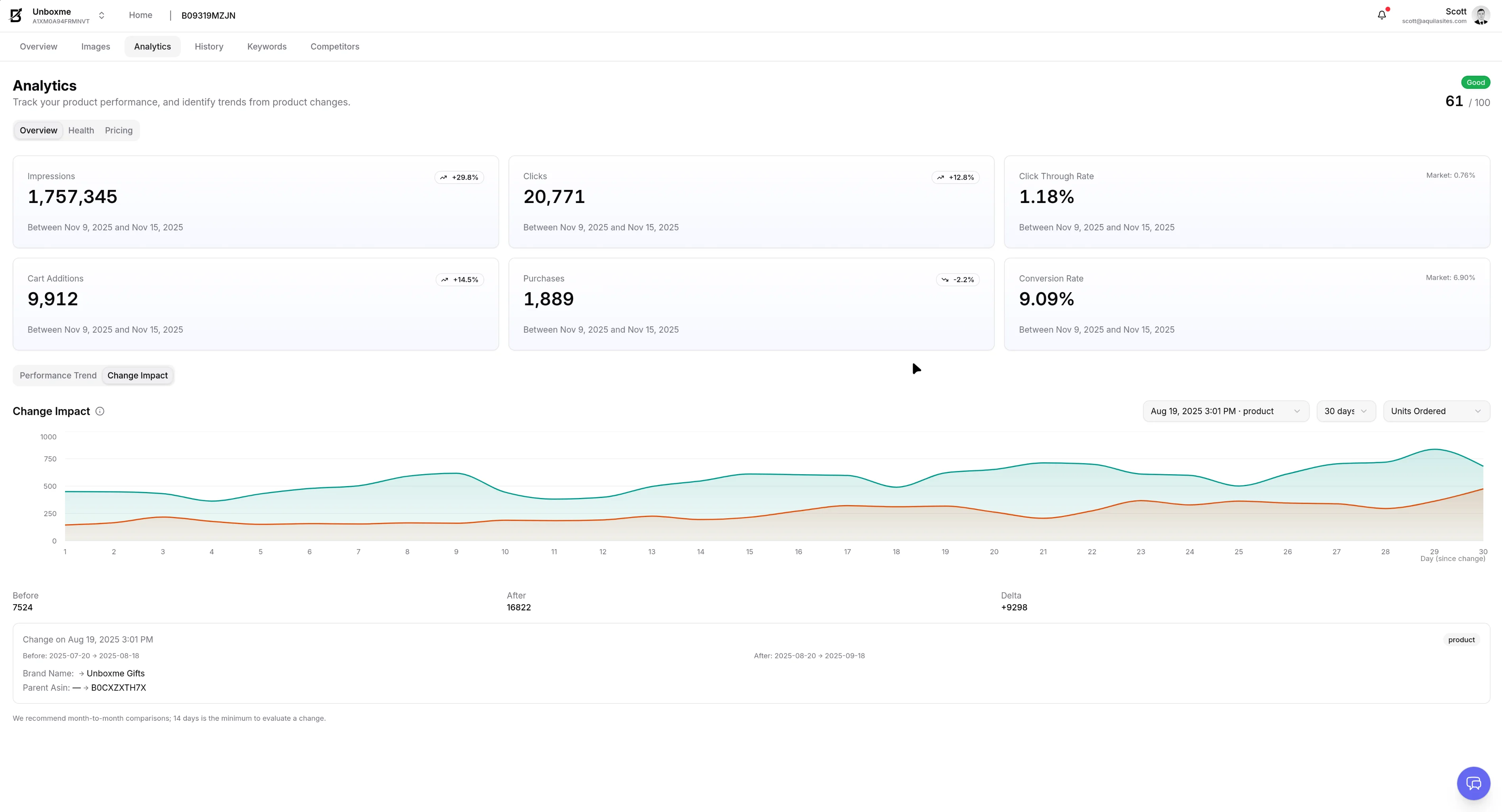
View your sales and traffic data in simple charts. See which products are doing well and which ones need help.
Ask Questions and Get Answers
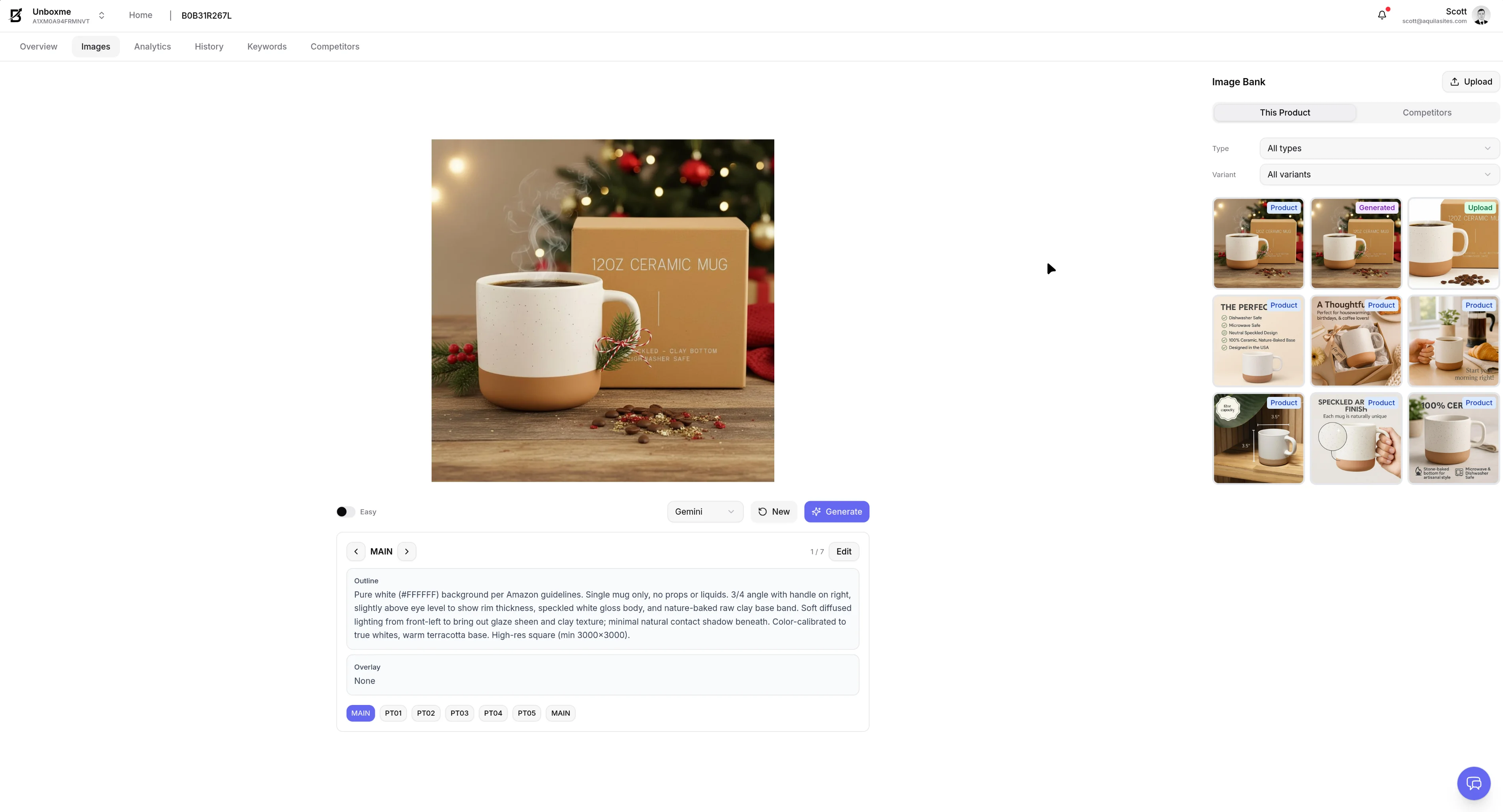
Talk to our AI about your products. Find out which keywords work best, create new product images, or get suggestions for seasonal changes like Black Friday.
Track Your Progress
We save your history so you can see what changes made you more money. Compare this year's Black Friday to last year's and know exactly what worked.
What we need access to
We only request the permissions we need to help you grow.
Pricing
We track your pricing history alongside performance trends so you can see how price changes affect sales over time.
Brand Analytics
Brand Analytics gives us the search, click-through, and conversion data we need to make evidence-based recommendations.
Product Listing
Product listing access lets you publish updates directly to Amazon from BoostSR, without copying changes between tools.
Advertising API
Amazon Ads API access gives us campaign, search term, bid, budget, and keyword data so we can optimize your advertising.